 AMPROTEQ
Your bill in. A business case out.
The Savings Studio prices every half-hour of your year on your own 2026/27 tariff, finds the battery and solar that pay best, and hands you a proposal your board can sign off. In your browser, before you speak to anyone.
FreeNo sign-upYour bill stays in your browser
 1The answer, in one sentence
2Four figures decide it
3Your bill, month by month
1The answer, in one sentence
2Four figures decide it
3Your bill, month by month
- 17 520
- half-hours priced in a year
- Eskom + 7 metros
- tariffs at 2026/27 rates
- 6
- battery sizes priced and ranked
- 17
- named solar losses, sunlight to meter
- 25 years
- of cash flow, after tax
Start from whatever
you have to hand.
Each door opens the Studio at that step. You can add the rest later, and every project is saved in your browser so you can come back to it.
Seven steps, from a bill to a proposal.
- 01
EnergyWhere your money goes.
Your bill is read in the browser: the tariff, energy in each time-of-use period, demand and fixed charges. Then every half-hour of twelve months is priced line by line on the published 2026/27 rates.
Peak energy is 50 % of the quarry’s July bill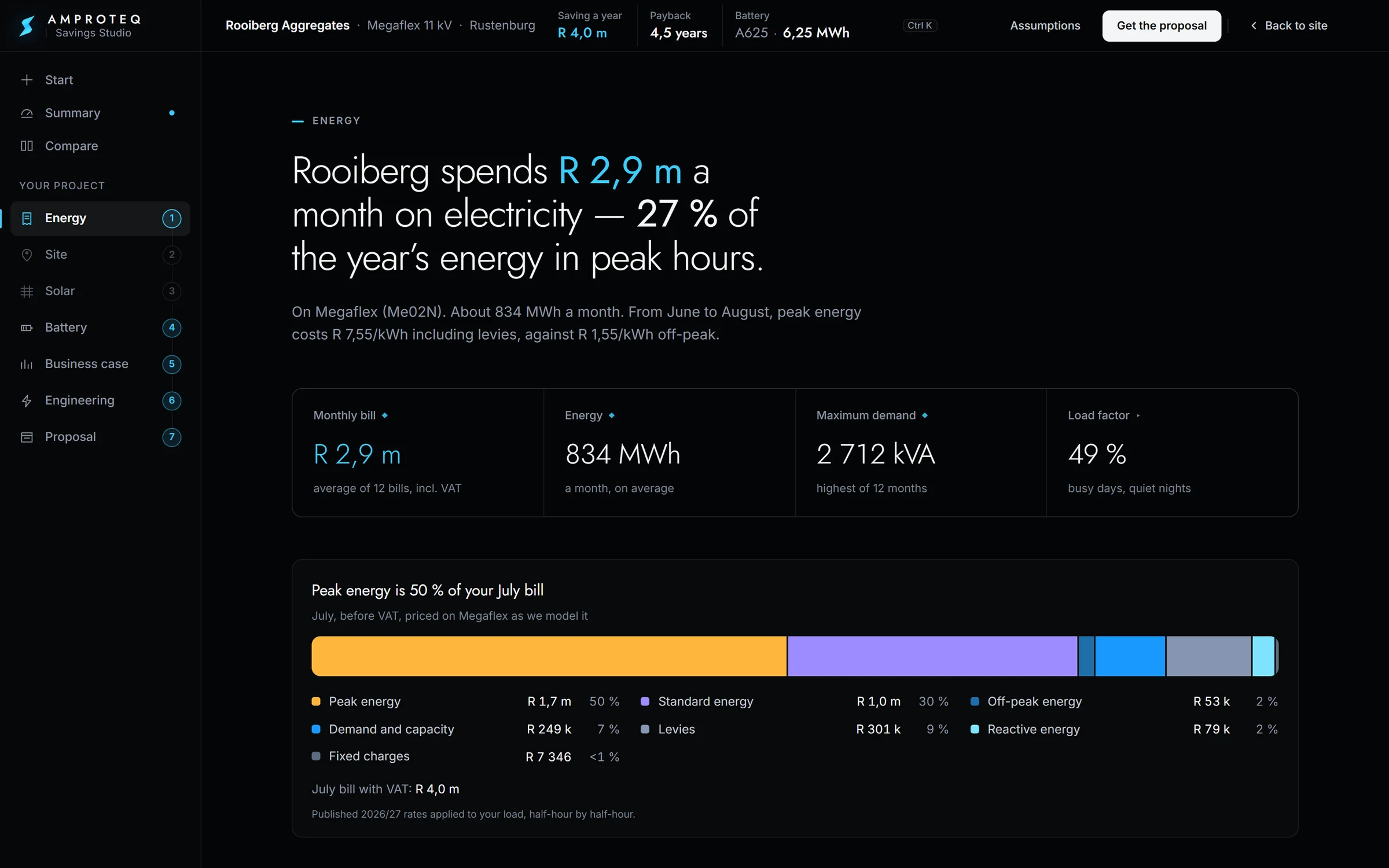
- 02
SiteYour roof or land, on the map.
Search a town or drop a pin, then draw the roof or the land the panels may use. The sun, the weather and the grid connection come with the location.
Satellite map, drawn boundary, sun and weather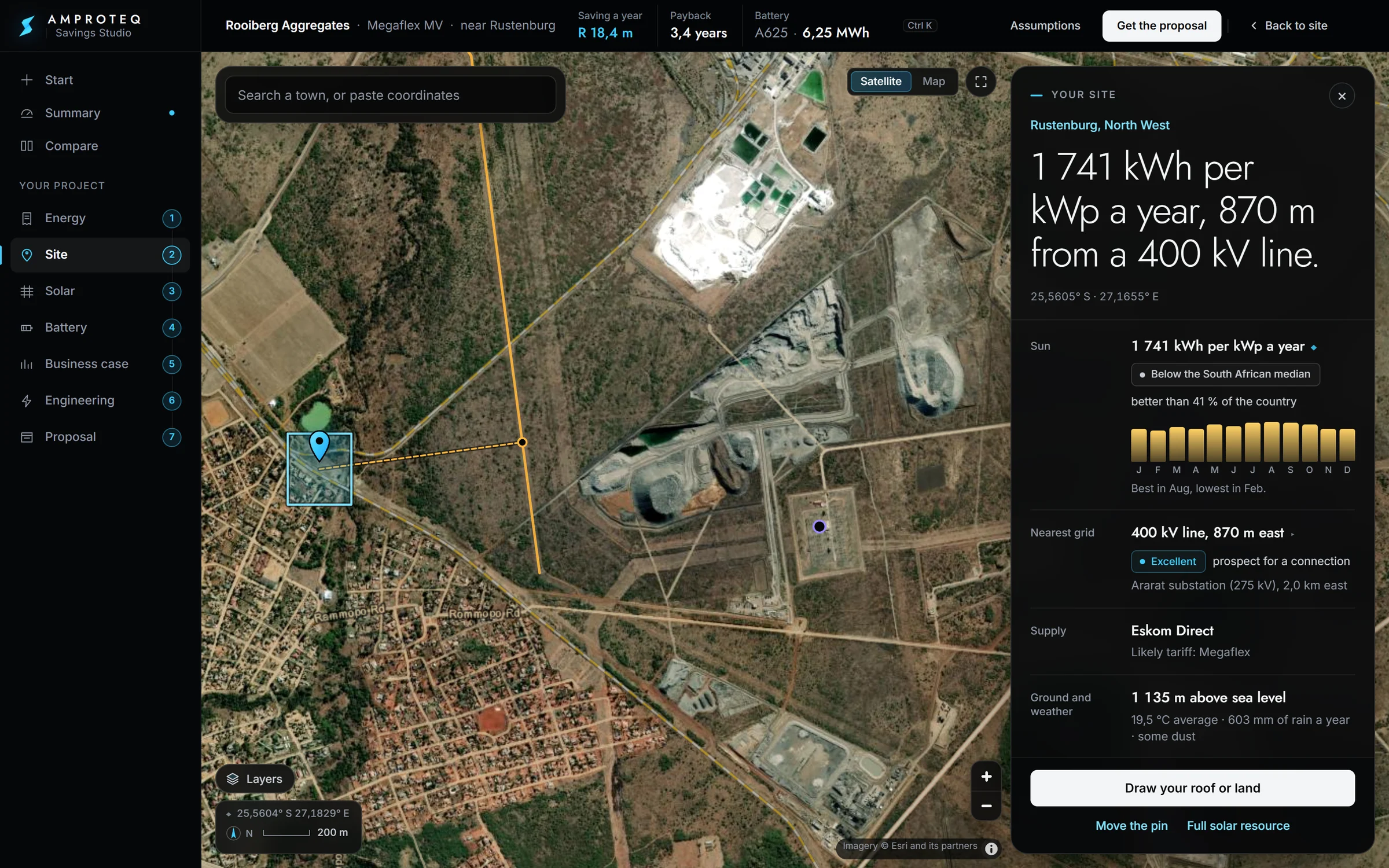
- 03
SolarThe plant, row by row.
The array is laid out on your own land and run hour by hour for a year, through every loss between the sunlight and your meter.
4 831 kWp making 8,84 GWh a year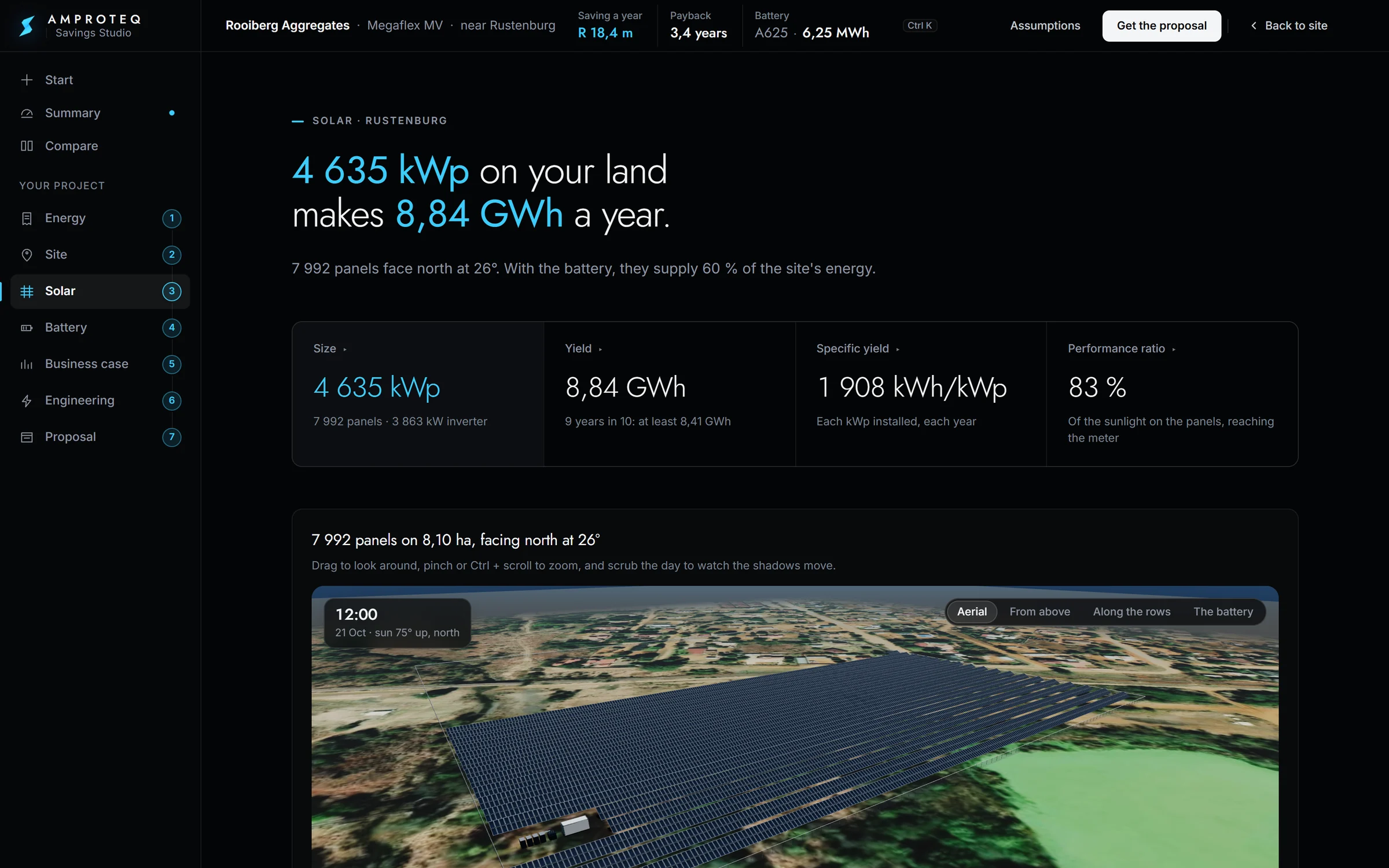
- 04
BatterySix sizes, one pick.
Six battery sizes are priced and run against your load. The pick is the one that earns the most after paying for itself, and any other size is one click away.
The A625, 6,25 MWh, is the best fit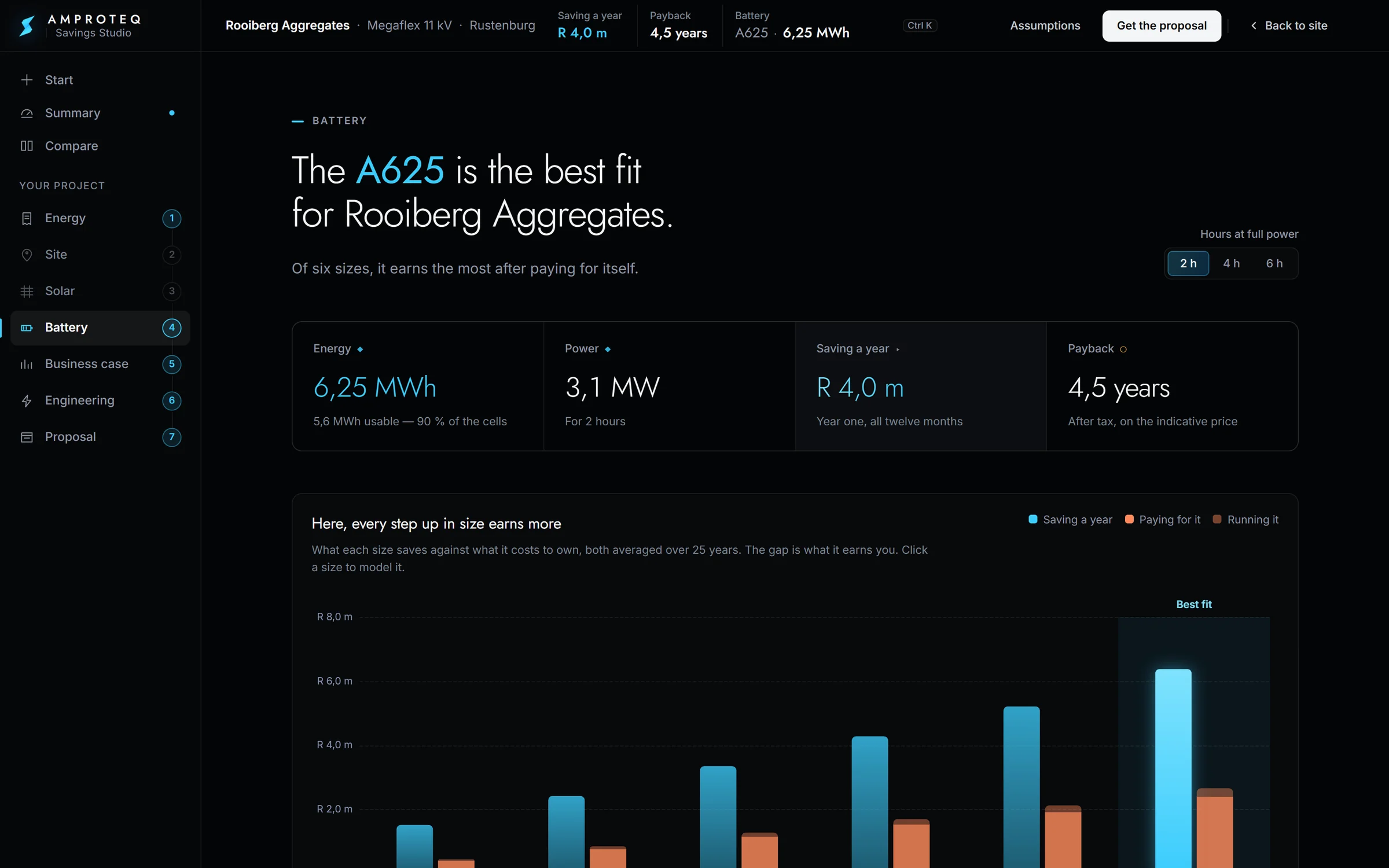
- 05
Business caseWhat it saves, month by month.
Each month is its own bill, priced line by line with and without the battery. Then 25 years of cash after tax: when you get it back, the return on your own money, and how comfortably a loan is covered.
July saves the most: R 802 k. Paid back in 4,1 years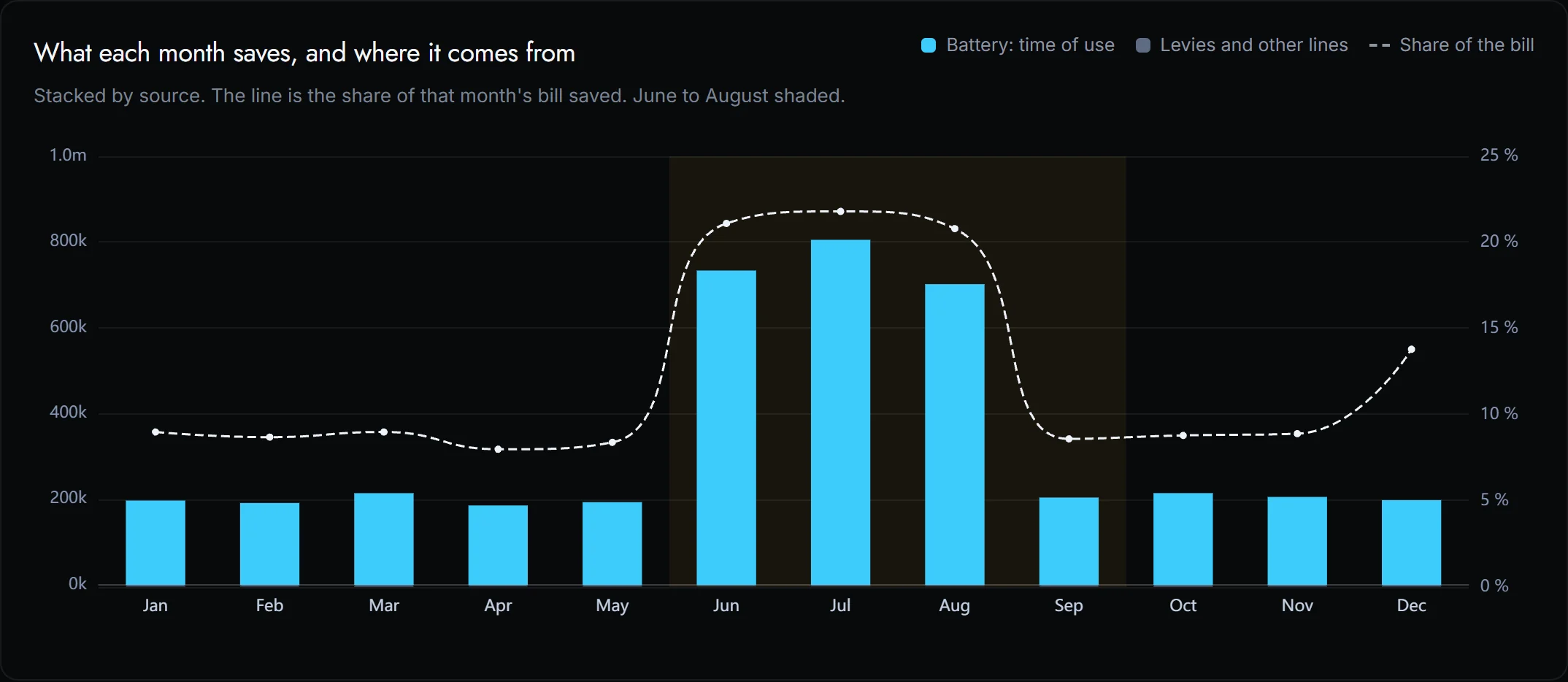
- 06
EngineeringReady to install?
Cables, protection, earthing and the grid connection are checked, with a single-line diagram and a block layout you can open in CAD.
Single-line diagram, cable runs and grid checks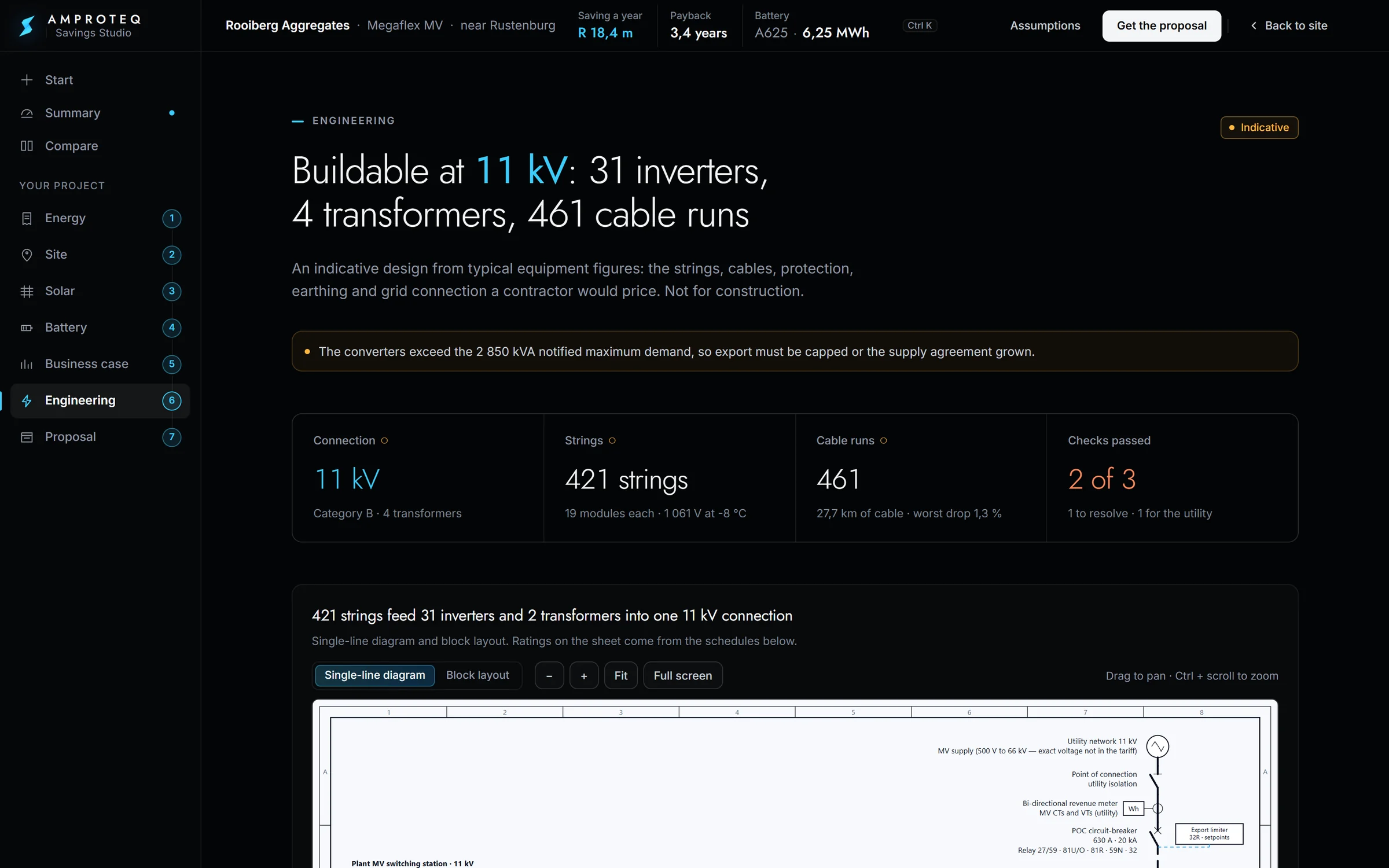
- 07
ProposalTake it to your board.
One PDF with every figure and every assumption behind it. Send it to us and our quote for your site replaces the indicative price.
Thirteen chapters, every source listed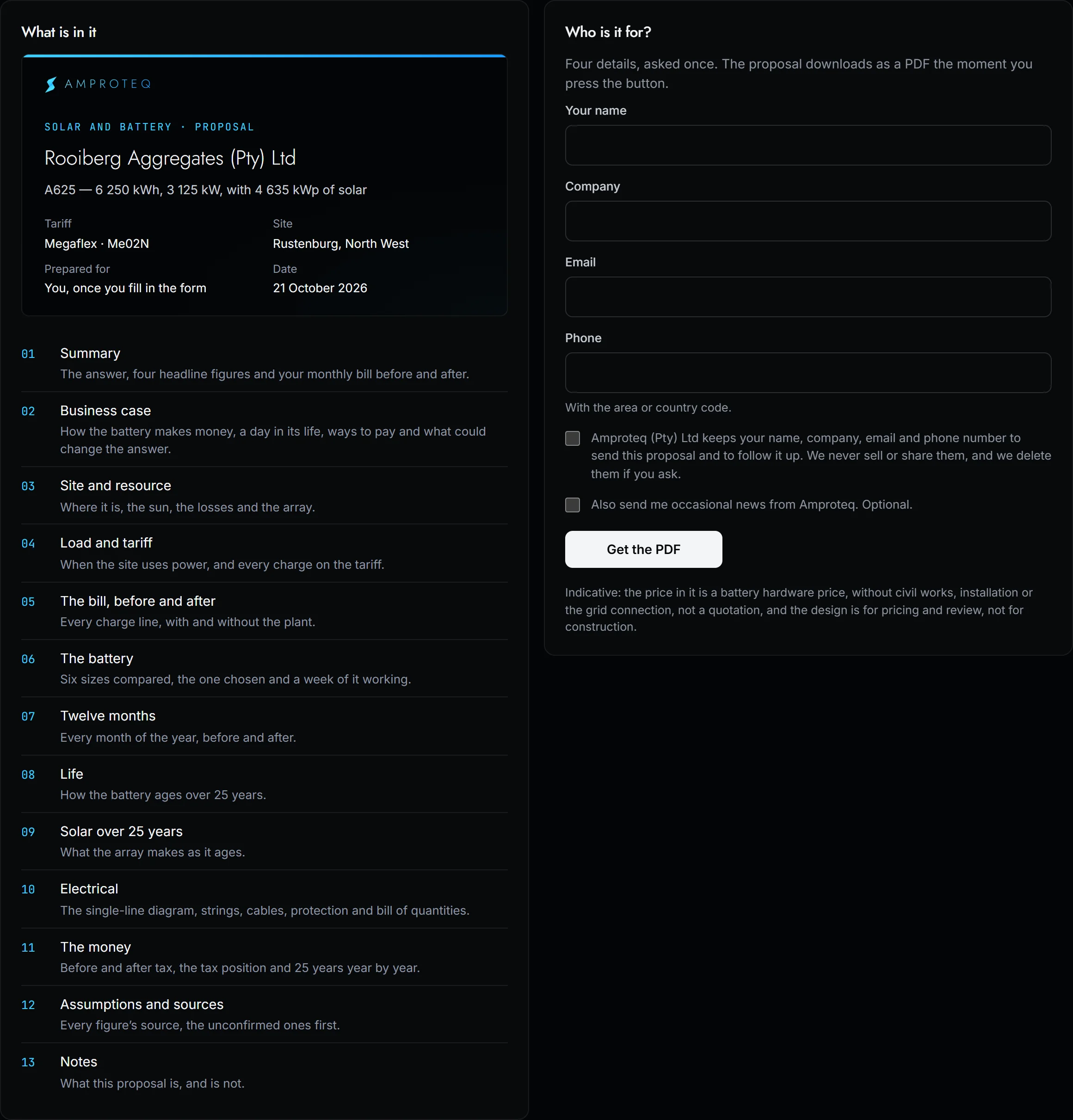
Buy at R 1,62.
Use it at R 7,55.
A battery pays where peak power is dear. It charges when power is cheap, runs the site through the peak hours and keeps the difference. This is one real winter weekday at the quarry, half-hour by half-hour, as the Studio draws it.
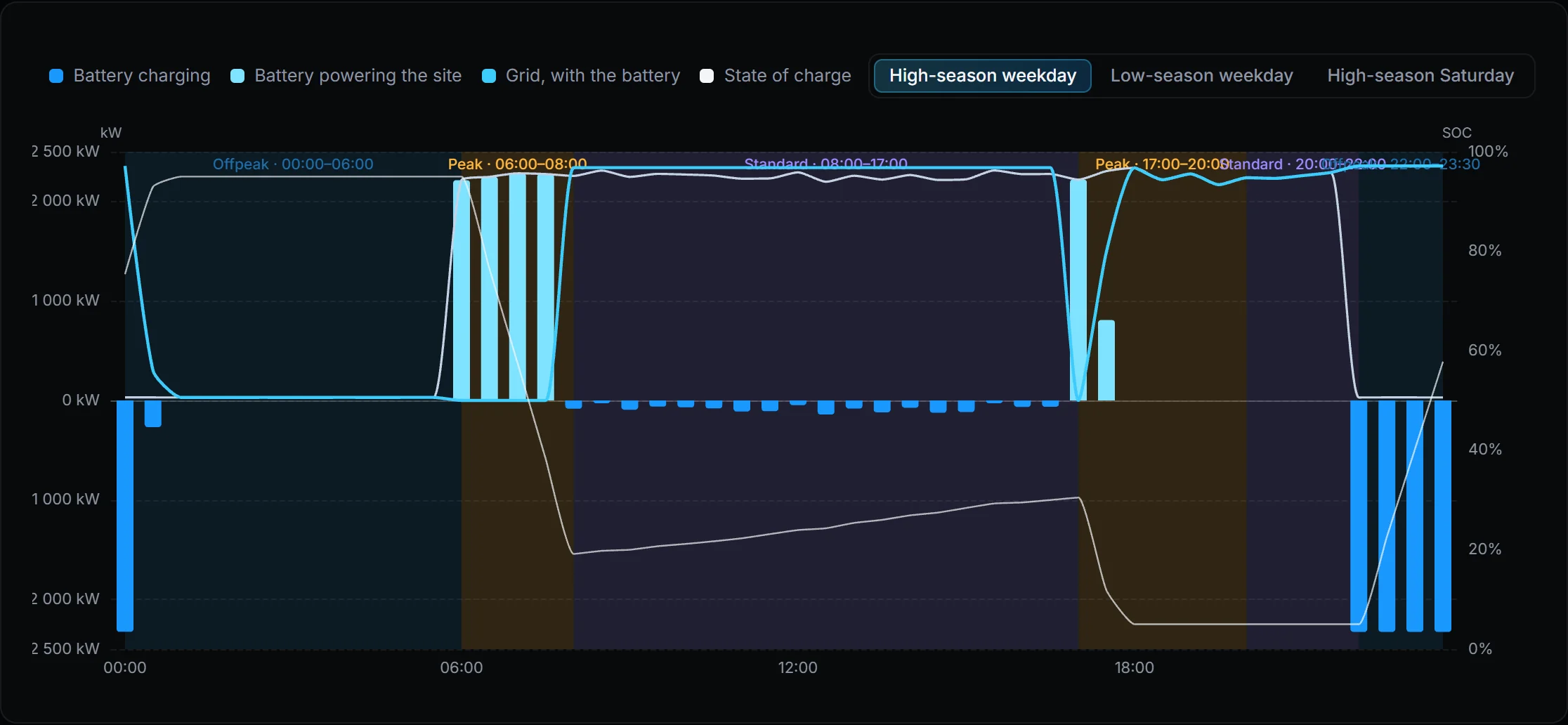
- Off-peak, from 22:00It charges on the cheapest power of the day, at about R 1,62/kWh on average.
- Morning peak, 06:00 to 08:00The site runs on the battery instead of buying power at R 7,55/kWh.
- Standard hoursIt tops up again, a little at a time, within the site’s notified maximum demand.
- Evening peak, from 17:00It discharges again into the second peak of the day, until it reaches its floor.
The plant, under
its own sun.
Draw your land and the Studio lays out the array row by row, then shades it with the real sun for your location, hour by hour. Below is the quarry on a day in October, from first light to dusk. In the Studio you can drag to look around and pick any day of the year.
- 4 831 kWp
- laid out on the land
- 8,84 GWh
- a year, after every loss
- 80 %
- performance ratio
- 8 760
- hours modelled, one by one
Seventeen named losses.
Not one rule of thumb.
Each hour of the year runs through the same chain. You see what each stage takes, so a yield is never a single percentage nobody can check.
- 01Shade from the row in front
- 02Reflection off the glass
- 03Dust
- 04Spectrum
- 05Heat
- 06Low light
- 07Light-induced ageing, year one
- 08Heat-and-light ageing
- 09Nearby obstacles
- 10Panel mismatch
- 11DC cables
- 12Converter
- 13Clipping
- 14AC cables
- 15Transformer
- 16Auxiliaries
- 17Availability
Panel side (DC) Grid side (AC)
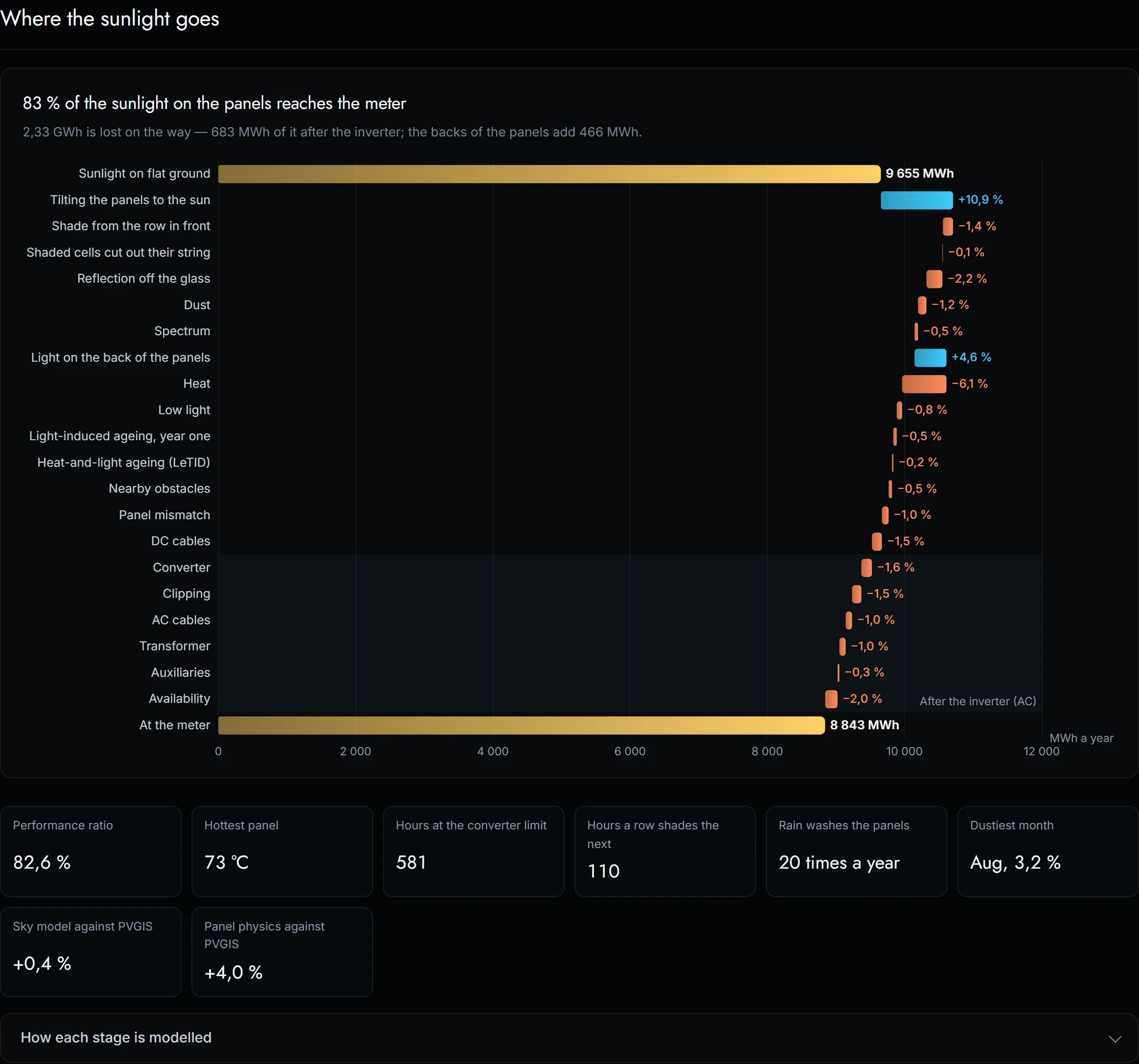
Every number says
where it came from.
A finance director should be able to trace any figure back to its source. So every number in the Studio carries one of three marks, and the proposal lists every assumption, the unconfirmed ones first.
Taken straight from a published source: your tariff schedule, the sun and the weather at your site.
Worked out by the Studio from published figures: the year half-hour by half-hour, the battery’s dispatch, the bill after.
Not yet confirmed. The system price is indicative until we quote your site; then every figure moves with it.
Read in your browser
Your bill is read on your own machine. Nothing that names you is sent unless you ask for the proposal.
Your tariff, not an average
Each month is priced line by line on the published 2026/27 schedule, with high and low season, weekends and demand charges.
A full year in seconds
Twelve months of half-hours, six battery sizes and a 25-year cash flow, before your coffee cools.
One PDF your
board can sign off.
When the numbers work, the Studio writes the proposal for you: thirteen chapters, from the answer to every assumption behind it. Download it, or send it to us: we check your tariff, your load and what your site needs, and our quote replaces the indicative price.
- 01Summary
- 02Business case
- 03Site and resource
- 04Load and tariff
- 05The bill, before and after
- 06The battery
- 07Twelve months
- 08Life
- 09Solar over 25 years
- 10Electrical
- 11The money
- 12Assumptions and sources
- 13Notes
Is the Savings Studio free?
Is my electricity bill uploaded anywhere?
Which tariffs does it know?
Is the answer a quote?
What do I need to start?
Can it model solar as well as storage?
One bill. One minute.
Your answer.
Open the Studio with your own bill, or let the guided tour walk you through the quarry first. When you want a quote, the proposal brings your numbers to us.